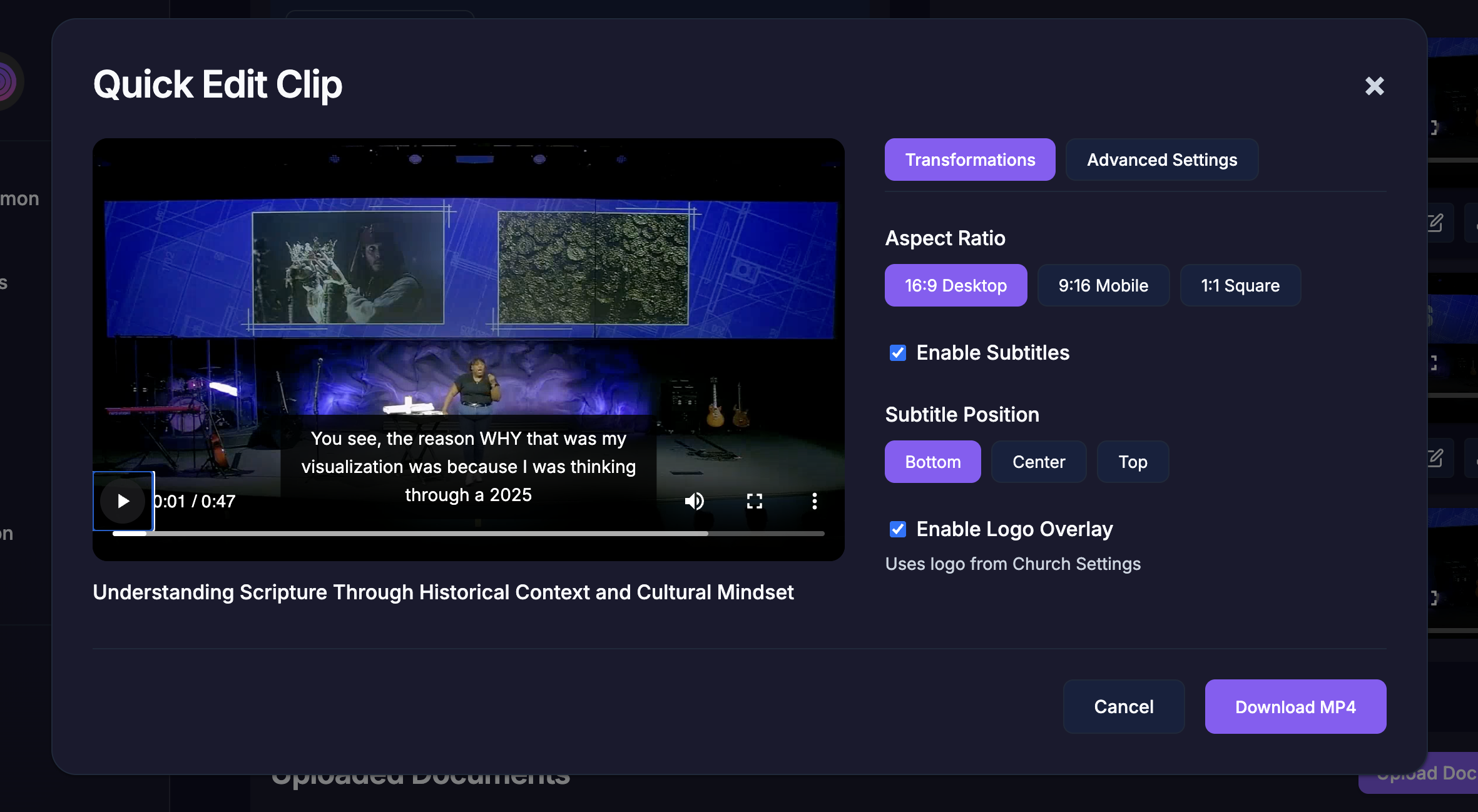
Transcript Editing
Transcript editing can be handled from the transcript tab on the sermon detail page.
On the transcript tab, click any segment you'd like to edit.
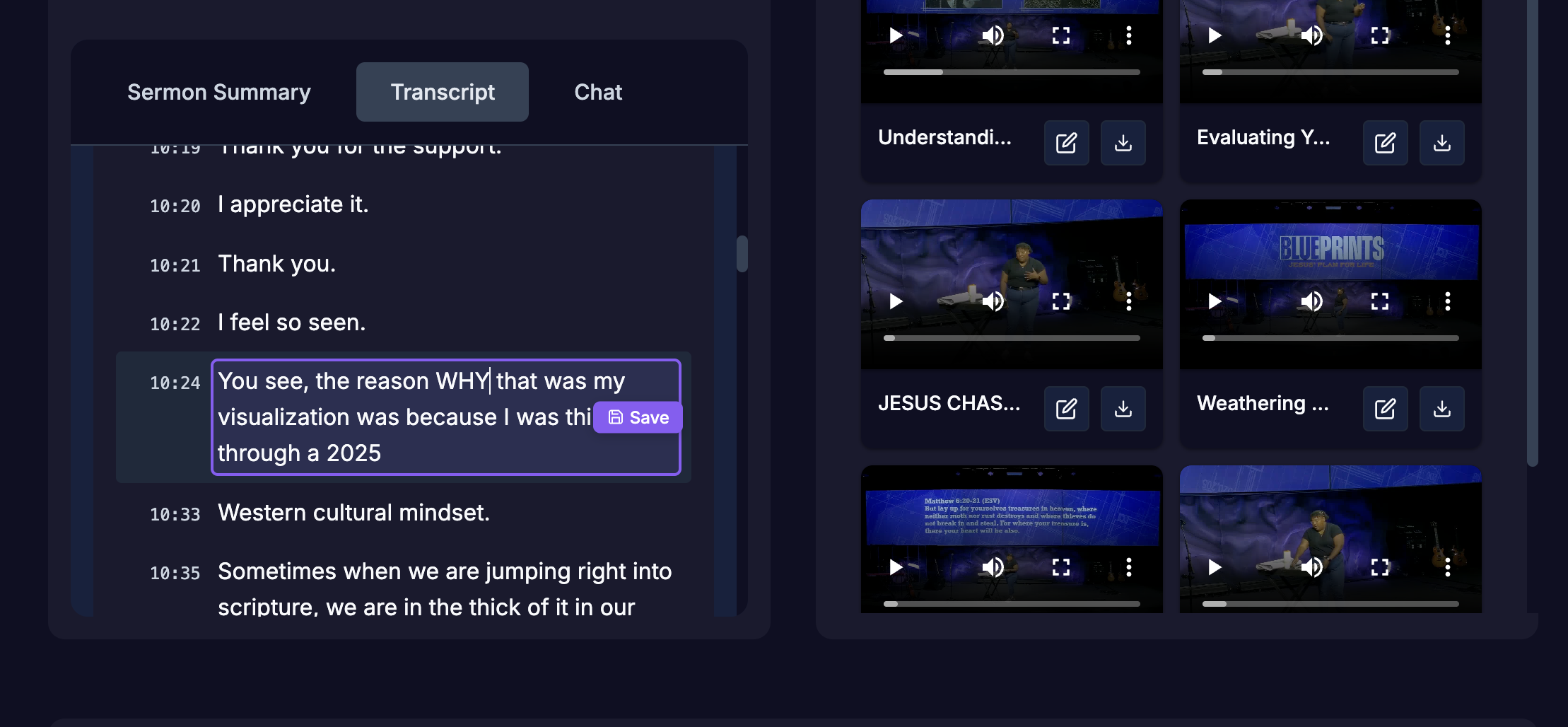
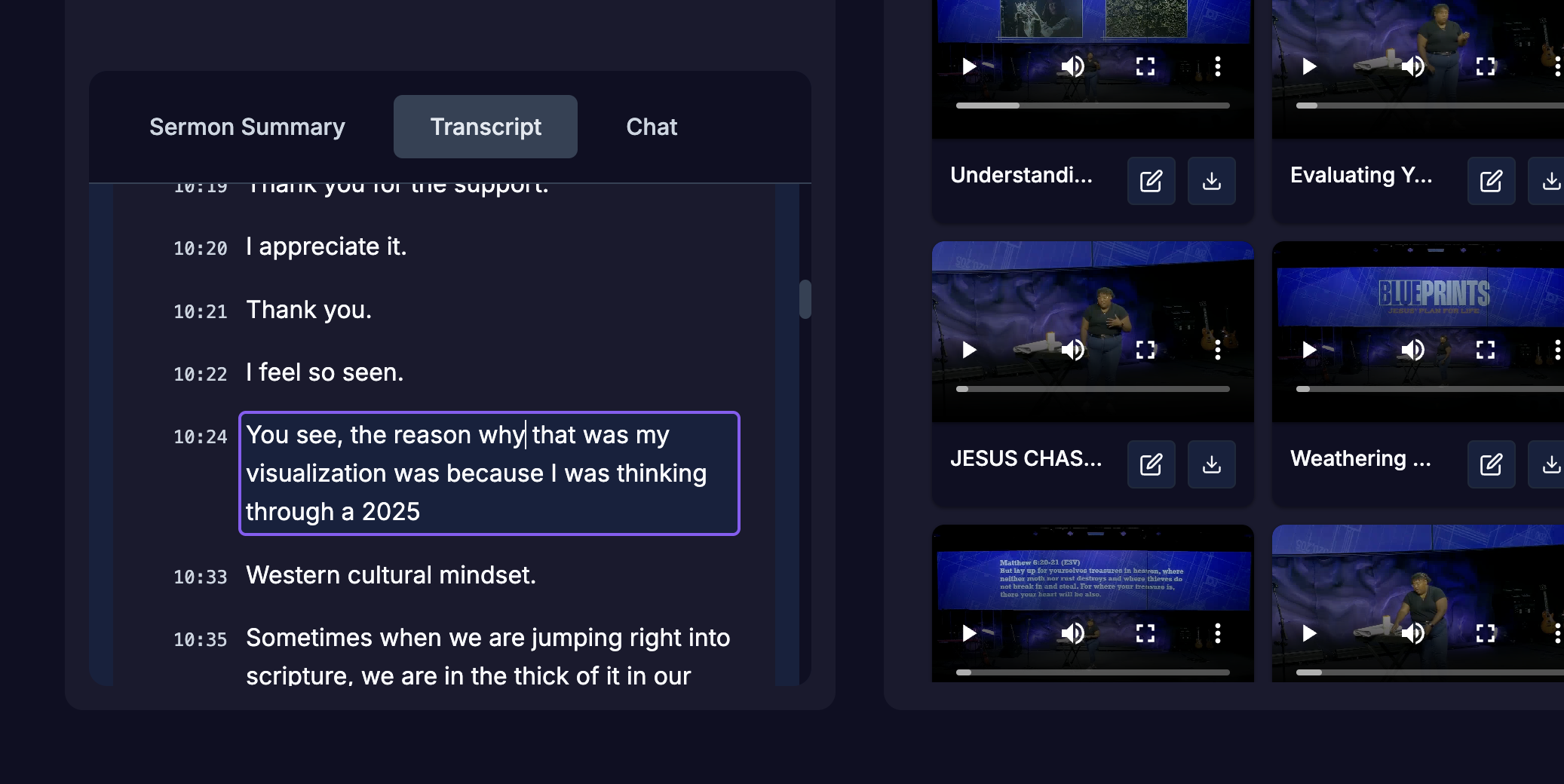 Make changes. When you are satisfied with the change, click Save.
The transcript will be used for any future clips created it. It will also update any existing clips you already have to use the updated transcript.